


Timeleft: Make New Friends IRL
3.8622.00 Reviews
App Specs
- Version
- 6.10.0
- Updated On
- License
- Free
- Downloads
- 1,000,000+
- Developer
- Timeleft
- Categories
- Events
- Platform
- Android, iOS
Screenshots


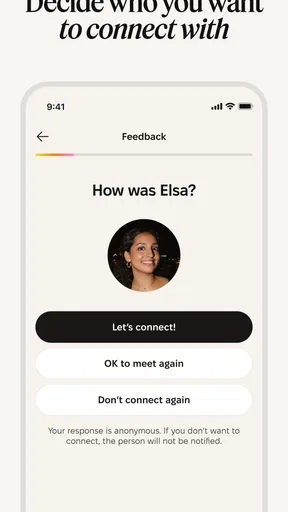
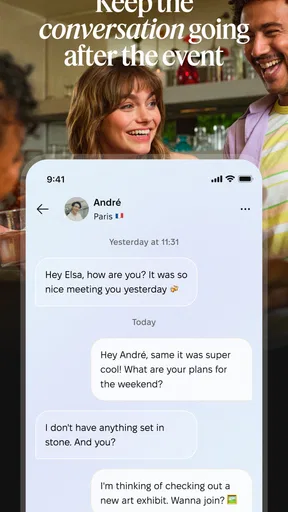
 Analysis by AppCompare
If you've ever found yourself yearning for more genuine connections in this digital age, Timeleft: Make New Friends IRL might just be the app you've been waiting for. I recently decided to give it a whirl, hoping to expand my social circle beyond my usual haunts, and let me tell you, it was quite the experience.
Getting Started with Timeleft
Timeleft is a free events app from developer Timeleft, built around the idea of meeting people over dinner. It has a 4.2 average from around 9,400 ratings, and more than 500,000 installs. That level of uptake suggests the dinner-meetup format has found an audience, though popularity alone can’t tell you whether a particular evening will feel comfortable or lead to a lasting friendship.
First things first, setting up Timeleft: Make New Friends IRL is a breeze. The app is available for both Android and iOS, so no one’s left out of the fun. After downloading it from the app store (links are conveniently provided on their website), I was up and running within minutes. The registration process is straightforward, and you can use your email or social media accounts to sign in.
The app’s interface is sleek and intuitive. I didn’t have to fumble around trying to figure out where everything was. The design is modern with a friendly vibe, which makes it inviting to use. It’s almost like the app itself is saying, "Hey, come on in. Let’s make some friends!"
What the Dinner Format Changes
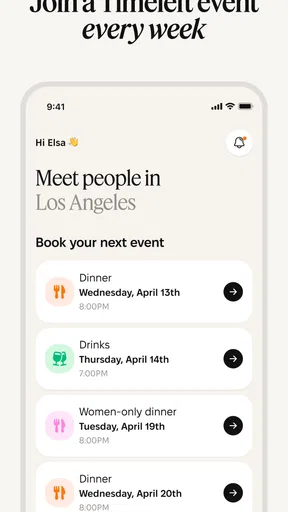
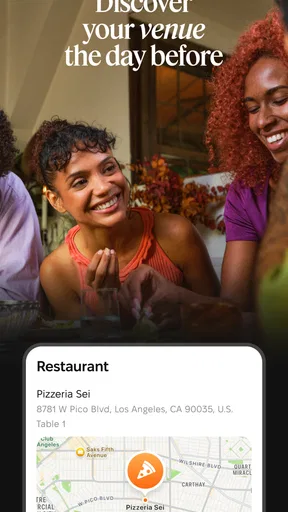
The dinner focus makes Timeleft a different proposition from a broad events directory. Rather than starting with a list of concerts, classes, or public gatherings, you’re considering a shared meal as a way to meet people. That gives the evening a natural shape: there’s a clear reason to show up, and conversation has an obvious starting point. It also asks more of you than casually browsing an event feed. You need to be willing to spend a meal with people you haven’t met before.
Once I got settled, it was time to explore the features. The core concept of the app is simple yet powerful: it helps you find people nearby who are interested in meeting up in real life. You know, kind of like the old days when you’d actually talk to someone face-to-face. Crazy, right?
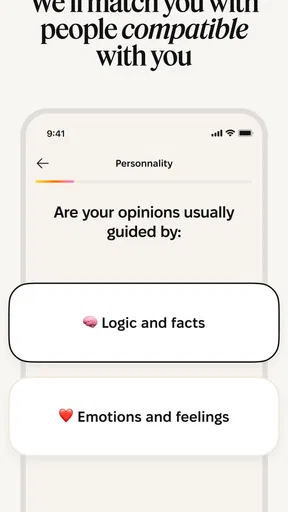
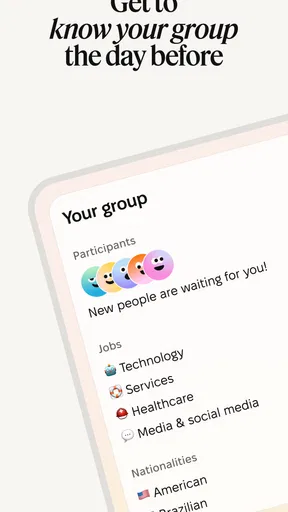
Timeleft uses your location to suggest potential friends who share similar interests. You can browse through profiles, see what people are up to, and decide if you’d like to join in on their plans. It’s like having a personalized social calendar right in your pocket.
Worth Reading Before You Choose

Flipboard Shows What News Apps Must Do Beyond the Feed

Switching to Android Auto Means Rethinking Your Driving Routine

Google Calendar Makes a Crowded Week Easier to Manage

Ludo King Makes the Most of the Minutes Between Plans

Baby Panda World Brings Quick Play to Modern Phones, but Its Game Library Feels Busy

ESPN’s Live Game View Makes Following Close Games Easier
Who Is Likely to Enjoy It?
I’d consider this app if I’d moved to a new place, wanted to widen my circle beyond coworkers, or found that my usual routine left little room to meet anyone new. It may also suit someone who prefers a planned social occasion to the awkwardness of approaching strangers at a bar or turning up alone to an unfamiliar club. The key is being open to conversation with people whose personalities and interests may not match yours perfectly.
For a realistic example, imagine finishing work on a weekday with no plans and realizing that another evening scrolling through social feeds won’t make your neighborhood feel more familiar. A dinner meetup could give the evening a purpose and put conversation on the agenda. I’d still check the practical details before committing: whether the date and location work, what the payment terms are, and whether I’m comfortable with the group setting. Treating it as one low-pressure outing, rather than expecting instant best friends, seems like the healthier approach.
Events and Activities
One of the standout features for me was the Events section. Here, users can create or join events happening nearby. Whether it’s a casual coffee meetup, a group hike, or a game night, there’s always something going on. I decided to dip my toes into the water by joining a local trivia night, and it was a blast!
The app also allows you to create your own events, which is a fantastic way to bring people together. Feeling spontaneous? Host a last-minute board game night or invite folks to join you for a movie marathon.
Those broader event examples make a useful comparison point, but Timeleft’s defining promise is dinner-based socializing. If I wanted to find a specific public activity, such as a hike or a show, I’d probably start with a local events calendar or a community group focused on that activity. If I wanted to meet people through repeated shared interests, a hobby club could be a better fit because seeing the same faces over time makes it easier to build familiarity. Timeleft makes more sense when I want a deliberate social occasion, rather than a directory of every possible thing to do.
One practical tip is to decide what a successful evening means before going. If the goal is simply to get out of the house and have a decent conversation, the pressure is lower than if I expect to leave with close friends. I’d also plan a comfortable way home and avoid scheduling the dinner on a night when I need to rush off. Those small choices can make a new social situation feel more manageable without assuming the app can control how well strangers connect.
Cost, Compatibility, and Commitment
The app is free to download, but it includes in-app purchases ranging from about $20 to $63 per item. I’d check the purchase screen carefully before confirming anything and make sure I understand what a paid item covers. That matters particularly for a dinner-based service: someone deciding whether to try it will want to distinguish the cost of using the app from any spending associated with the actual outing. I wouldn’t treat “free” as meaning every part of the experience has no cost.
Timeleft is rated Teen and currently sits at version 5.1.0, with a minimum operating-system requirement of 7.0. The app was released on December 8, 2023. These details help set expectations about compatibility and maturity, but they don’t tell me whether the service has recently changed its matching approach or event options. When installing, I’d check that my device meets the requirement and read the current in-app descriptions rather than assume every screen works the same way for every user.
It may not be the right choice if you strongly dislike dining with unfamiliar people, need full control over who attends, or are looking for a dating app, professional networking tool, or activity-specific club. A shared meal can create a more focused setting than endless profile browsing, but it also means less flexibility than messaging someone first and deciding later whether to meet. If I’m not ready for that level of face-to-face commitment, an interest-based online group or a public event where conversation is optional would be a gentler first step.
Safety First
Now, I know what you’re thinking. Meeting strangers from the internet sounds risky, right? Well, the folks at Timeleft have got you covered. The app includes safety features like profile verification and user reviews, so you can rest assured that you’re meeting genuine people. Plus, there’s an option to report any suspicious activity.
This focus on safety really puts your mind at ease, letting you focus on having fun and making connections. It’s clear that the app creators prioritize user safety, which is a big plus in my book.
Even with the reassurance described above, I’d use ordinary judgment when meeting anyone new. I’d keep the first meeting in the planned public setting, tell someone I trust where I’m going, and avoid sharing private details too quickly. Profile checks and reporting tools can be useful, but they can’t guarantee that every person will be a good match or that every interaction will feel comfortable. If the conversation or situation feels wrong, I’d give myself permission to leave.
A question many people will have is whether they need to arrive with a friend. The appeal of a social-meal app is the chance to meet people outside an existing group, so I’d be prepared for the possibility of attending on my own and decide whether that feels acceptable before booking. Another reasonable question is whether one dinner is enough to judge the service. I’d treat a first outing as a test of the format and my own comfort, not as a verdict on whether I can make friends through it; a single group may simply not click.
What to Watch as It Develops
Because Timeleft is still a relatively recent release, its current version is a useful point of reference, not proof of a particular product change. The version number tells me which build I’m considering, while the release date gives a sense of how long the app has been available. Neither by itself establishes what has changed between releases. For existing users, the practical thing to watch is whether the app’s own update notes describe changes that affect the way they find or arrange dinners, and whether those changes improve the parts of the experience they actually use.
I’d also pay attention to the details presented when choosing an outing: how clearly the app explains the commitment, what costs apply, and what options are available if plans no longer suit. These are the points that can make a social app feel easy to try—or create friction at the moment someone is deciding whether to go. I would judge future improvements by how well they answer those everyday questions, rather than by a new version number alone.
Final Thoughts
All in all, my time with Timeleft has been nothing short of delightful. It’s a refreshing change from the usual social media apps that often leave us feeling more isolated. Instead, it encourages real human interaction, which is something we could all use a bit more of these days.
If you’re looking to expand your social circle and meet new friends IRL, I’d highly recommend giving Timeleft: Make New Friends IRL a try. It’s more than just an app; it’s a gateway to new experiences and friendships. So, go ahead, download it, and start making some memorable connections today!
Pros
- Easy-to-use interface for quick navigation.
- Connects you with people nearby instantly.
- Privacy settings are customizable and secure.
- Allows event creation to meet in person.
- Supports multiple languages for broader reach.
Cons
- Limited to urban areas with active users.
- Requires location access at all times.
- Free version includes ads.
- Profile creation is mandatory to browse.
- No offline mode available.
FAQs for Timeleft: Make New Friends IRL
What is Timeleft and how does it work?
Timeleft is a social networking app designed to help users make new friends in real life. It connects people based on shared interests and availability. Users create a profile, specify interests, and indicate when they are free to meet up. The app then suggests potential friends nearby who match these criteria, facilitating real-world connections.
Is Timeleft safe to use for meeting new people?
Timeleft prioritizes user safety by implementing several security measures. These include profile verification, privacy settings, and the ability to report or block users. Additionally, the app encourages meetings in public places and provides tips for safe interactions. Always use discretion and follow common safety practices when meeting someone new.
Does Timeleft require a subscription or can it be used for free?
Timeleft offers both a free version and a premium subscription. The free version allows users to create a profile, browse matches, and message potential friends. The premium version unlocks additional features such as advanced search filters, unlimited messaging, and ad-free browsing. Users can choose the plan that best fits their needs.
What platforms is Timeleft available on?
Timeleft is available for both Android and iOS devices. Users can download the app from the Google Play Store or Apple App Store. The app is designed to work seamlessly on a variety of devices, ensuring a smooth user experience regardless of the platform.
Can I use Timeleft internationally or is it region-specific?
Timeleft can be used internationally, allowing users to make connections with people in various locations around the world. However, the effectiveness of the app may vary depending on the user base in a specific region. It's most beneficial in areas with a higher concentration of active users.


